
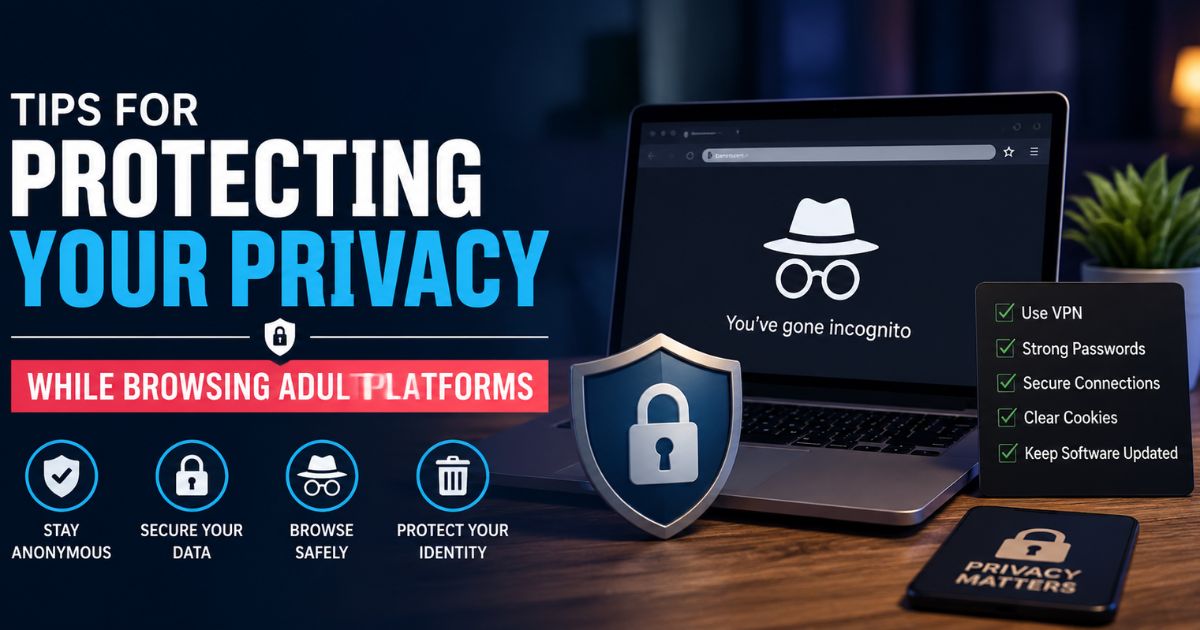
The internet offers access to virtually every type of content imaginable, including adult websites. While millions of people visit these platforms every day, many overlook the importance of protecting their personal information and online privacy. Whether you’re concerned about data collection, targeted advertising, or potential security threats, taking a few simple precautions can significantly reduce your digital footprint.
This guide explains practical, ethical, and legal ways to browse more privately. These recommendations apply not only to adult websites but to any platform that collects user data.
Why does privacy matter online?
Every website you visit collects some level of information. This can include your IP address, browser type, device information, approximate location, cookies, and browsing behavior. Adult platforms are no exception.
Although many reputable websites have privacy policies explaining how data is handled, users should never assume their information is completely anonymous. Understanding basic online privacy practices helps reduce unnecessary exposure.
Some common reasons people prioritize online privacy include:
- Protecting personal identity
- Reducing targeted advertising
- Preventing unauthorized account access
- Limiting data tracking
- Keeping browsing habits private
Privacy isn’t about hiding wrongdoing; it’s about maintaining control over your personal information.
Choose Reputable Platforms
Not every website follows the same security standards. Before visiting any online platform, spend a few moments evaluating its credibility.
A trustworthy website generally offers:
- HTTPS encryption
- Clear privacy policies
- Transparent terms of service
- Secure login systems
- Regular platform updates
Avoid websites that trigger multiple browser security warnings or request excessive personal information without explanation.
Always Check for HTTPS
One of the easiest privacy checks is verifying that a website uses HTTPS encryption.
You’ll usually see:
- A padlock icon in your browser
- A URL beginning with https://
HTTPS encrypts communication between your browser and the website, helping protect data from interception on public or unsecured networks.
Although HTTPS doesn’t guarantee a website is trustworthy, it’s an essential security requirement.
Use Strong, Unique Passwords
If you create an account on any website, avoid reusing passwords you’ve already used elsewhere.
A strong password typically includes:
- Uppercase letters
- Lowercase letters
- Numbers
- Special characters
- At least 12–16 characters
Password managers make it easy to generate and store unique passwords without memorizing each one.
Enable Two-Factor Authentication
Whenever available, enable two-factor authentication (2FA).
With 2FA enabled, logging in usually requires:
- Your password
- A verification code from an authentication app or trusted device
Even if someone obtains your password, they generally won’t be able to access your account without the second verification step.
Be Careful With Personal Information
Many websites don’t actually require sensitive personal information.
Avoid sharing unnecessary details such as:
- Home address
- Phone number
- Workplace
- Government ID
- Payment information unless necessary
The less personal information you provide, the lower the potential exposure if a service experiences a data breach.
Understand Cookie Settings
Cookies help websites remember preferences and improve user experience, but they can also support advertising and analytics.
Consider:
- Blocking third-party cookies
- Clearing cookies regularly
- Reviewing browser privacy settings
- Using private browsing mode when appropriate
These steps won’t make browsing completely anonymous, but they can reduce tracking across websites.
Review App and Browser Permissions
Modern browsers and websites may request access to:
- Camera
- Microphone
- Notifications
- Location
- Clipboard
Grant permissions only when genuinely necessary.
Review your browser settings periodically and revoke permissions you no longer use.
Keep Your Browser Updated
Outdated browsers may contain security vulnerabilities that attackers can exploit.
Enable automatic updates whenever possible to receive:
- Security patches
- Performance improvements
- Bug fixes
- Privacy enhancements
Keeping software current is one of the simplest ways to improve online safety.
Avoid Clicking Suspicious Advertisements
Some websites contain third-party advertisements that may redirect users to unrelated or potentially harmful pages.
Be cautious of ads claiming:
- Free premium access
- Prize giveaways
- Urgent account warnings
- Software downloads
- Exclusive offers that seem too good to be true
If something feels suspicious, close the page instead of interacting with it.
RELATED POST: How Brands Use OpusClip on Pollo AI to Make Scroll-Stopping Ads?
Download Files Carefully
Avoid downloading unknown files from unfamiliar websites.
Potential risks include:
- Malware
- Spyware
- Ransomware
- Unwanted browser extensions
Only download software or files from trusted sources after verifying their legitimacy.
Secure Your Devices
Online privacy begins with device security.
Good habits include:
- Using antivirus software
- Keeping your operating system updated
- Locking your device with a PIN or biometric authentication
- Enabling automatic security updates
These practices help protect your information regardless of the websites you visit.
Use Secure Networks
Public Wi-Fi networks at airports, cafés, hotels, and shopping centers may expose users to additional security risks.
Whenever possible:
- Use trusted home or workplace networks.
- Avoid entering sensitive account information on unsecured public Wi-Fi.
- If you must use public Wi-Fi, be especially cautious about logging into important accounts.
Read Privacy Policies
Most users skip privacy policies, but reviewing key sections can provide valuable insights.
Look for information about:
- Data collection
- Cookie usage
- Third-party sharing
- Account deletion
- Data retention
Understanding these policies helps you make informed decisions before creating an account.
Watch for Phishing Attempts
Cybercriminals often imitate legitimate websites through fake emails, messages, or login pages.
Warning signs include:
- Poor spelling
- Unusual URLs
- Unexpected login requests
- Urgent language demanding immediate action
Always verify the website address before entering your login credentials.
Manage Your Digital Footprint
Before creating an account on any adult platform, it’s a good idea to understand how the service works and what privacy features it offers. Reading an independent guide can help you make a more informed decision and avoid common mistakes.
For example, if you’re considering using XXBrits, taking a few minutes to read a comprehensive XXBrits beginner’s guide can help you understand its features, account requirements, privacy settings, and important safety considerations before signing up.
Over time, online accounts accumulate across many services.
Consider periodically:
- Reviewing old accounts
- Updating passwords
- Removing unused profiles
- Checking connected devices
- Reviewing security settings
Regular maintenance reduces unnecessary exposure.
Practice Responsible Online Behavior
Privacy and security work together.
Responsible browsing includes:
- Respecting website rules
- Avoiding illegal content
- Understanding local laws
- Using legitimate services
- Reporting suspicious activity when appropriate
Ethical online behavior contributes to a safer internet for everyone.
FAQ’s
Does private browsing make me completely anonymous?
No. Private or incognito mode primarily prevents your browser from storing local browsing history and cookies after the session ends. Websites, internet service providers, employers, or network administrators may still be able to observe certain activity depending on the network and circumstances.
Should I create separate passwords for different websites?
Yes. Using unique passwords reduces the impact if one account is compromised.
Is HTTPS enough to guarantee safety?
No. HTTPS encrypts your connection, but users should also evaluate the reputation and trustworthiness of the website.
How often should I review my privacy settings?
Reviewing browser and account privacy settings every few months is a good habit, especially after major software updates.
Final Thoughts
Protecting your privacy online doesn’t require advanced technical knowledge. Simple habits, such as using strong passwords, keeping software updated, limiting the personal information you share, and staying alert to suspicious activity, can substantially improve your digital security.
As part of your research, it’s worth comparing how different platforms handle user data and account security before signing up. Looking into the privacy features offered by XXBrits can provide useful insights into settings such as account privacy, data management, and user controls. Taking the time to understand these features beforehand can help you make more informed decisions and adopt safer browsing habits across online platforms.