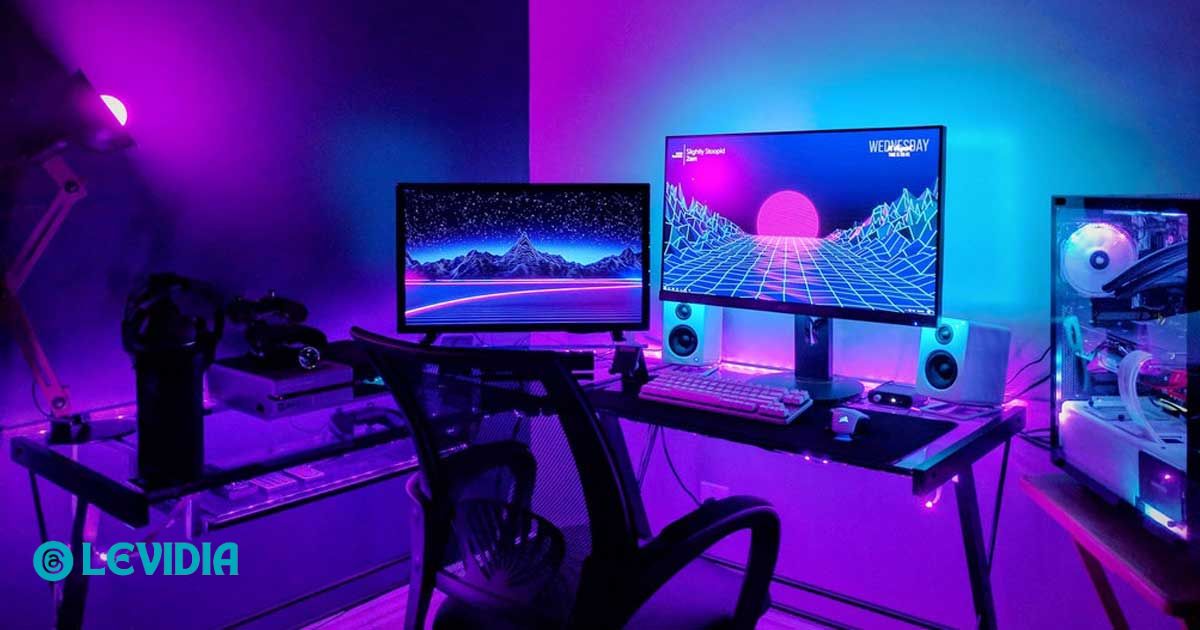
Building a high-performance full PC gaming setup is no longer just about buying a powerful computer.
Today’s gamers and streamers need a complete ecosystem that includes the right hardware, peripherals, networking and ergonomic accessories. Whether you are a casual gamer, competitive eSports player or content creator, a well-planned setup can dramatically improve your performance, comfort and overall experience.
In this guide, you’ll learn everything you need to know before creating a high-performance gaming PC and a complete setup optimized for both gaming and streaming.
1. Understanding What a Full PC Gaming Setup Really Means
A full PC gaming setup is more than just a computer. It includes:
- A powerful gaming PC
- High-refresh-rate monitor
- Gaming keyboard and mouse
- Headset or microphone
- Desk and chair
- Stable internet connection
- Streaming equipment
- Proper lighting and cable management
Many gamers focus only on the PC itself, but the overall setup plays a crucial role in performance and productivity. A balanced setup ensures smooth gameplay, better streaming quality, and a professional gaming environment.
2. Choosing the Right Gaming PC for Performance and Streaming
The heart of any setup is the gaming PC. When building or buying a gaming PC, you should focus on components that deliver high FPS and smooth streaming.
Processor (CPU)
For gaming and streaming, a multi-core CPU is essential. Popular choices include:
- AMD Ryzen 5 / Ryzen 7 series
- Intel Core i5 / i7 series
A powerful CPU ensures that your system can handle gaming and streaming simultaneously without lag.
Graphics Card (GPU)
The GPU is the most important component for gaming performance. Recommended options include:
- NVIDIA RTX series (RTX 3060, 3070, 4070, etc.)
- AMD Radeon RX series
A strong GPU ensures high frame rates, better graphics quality, and smoother gameplay.
RAM and Storage
- Minimum RAM: 16GB (recommended)
- Ideal RAM: 32GB for streaming and multitasking
- Storage: NVMe SSD for faster load times
Fast storage and sufficient RAM significantly improve the overall experience of your full PC gaming setup.
3. Monitor: The Visual Backbone of Your Setup
A high-quality monitor is essential for competitive gaming and immersive visuals.
Key features to look for:
- Refresh rate: 144Hz or higher
- Resolution: 1080p, 1440p, or 4K
- Response time: 1ms to 5ms
- Panel type: IPS or VA
A high-refresh-rate monitor allows you to fully utilize the power of your gaming PC and enjoy smoother gameplay.
4. Essential Gaming Peripherals
Keyboard and Mouse
Gaming peripherals directly affect performance and comfort.
- Mechanical keyboard with fast response time
- High-DPI gaming mouse with adjustable sensitivity
These accessories are essential for building a professional full PC gaming setup.
Headset and Microphone
For gaming and streaming, audio quality is critical.
- Gaming headset with surround sound
- Dedicated microphone for clear voice output
Streamers often invest in standalone microphones for professional audio quality.
5. Internet and Networking for Streaming
A high-performance setup is incomplete without a stable internet connection.
Key factors:
- High-speed broadband connection
- Low latency (ping)
- Ethernet connection instead of Wi-Fi (if possible)
For streamers, upload speed is just as important as download speed.
RELATED POST: Why Did Cerebral Success Go Out of Business?
6. Desk, Chair and Ergonomics
Many gamers ignore ergonomics, but it plays a major role in long gaming sessions.
Gaming Desk
Choose a desk with:
- Enough space for multiple monitors
- Cable management features
- Durable build quality
Gaming Chair
A good chair provides:
- Proper back support
- Adjustable height and armrests
- Comfort during long sessions
Ergonomics improve both performance and health, making your full PC gaming setup more sustainable.
7. Streaming Equipment for Content Creators
If you plan to stream, you’ll need additional equipment:
- Webcam (1080p or 4K)
- Capture card (for console streaming)
- Ring light or softbox lighting
- Green screen (optional)
A well-equipped streaming setup enhances the quality of your content and makes your streams more professional.
8. Power Supply and Cooling System
Power Supply Unit (PSU)
Choose a reliable PSU with sufficient wattage:
- 650W to 850W recommended
- 80+ Gold certification for efficiency
Cooling System
Cooling is essential for performance and longevity.
Options include:
- Air cooling
- Liquid cooling (AIO or custom loop)
Proper cooling ensures your gaming PC runs smoothly even during intense gaming and streaming sessions.
9. Cable Management and Aesthetics
A clean setup not only looks good but also improves functionality.
Tips:
- Use cable sleeves and ties
- Hide cables behind the desk
- Add RGB lighting for aesthetics
A visually appealing full PC gaming setup enhances the overall gaming experience and creates a professional environment.
10. Budget Planning for a Full PC Gaming Setup
Before building your setup, define your budget.
Budget Categories:
- Entry-level setup: Basic gaming PC and accessories
- Mid-range setup: Balanced performance and quality
- High-end setup: Premium components and professional equipment
Planning your budget helps you avoid overspending and ensures you invest in the right components.
11. Future-Proofing Your Gaming Setup
Technology evolves rapidly, so future-proofing is important.
Tips:
- Choose components with upgrade potential
- Invest in quality hardware
- Avoid outdated technologies
A future-proof gaming PC ensures that your setup remains relevant for years.
12. Common Mistakes to Avoid
Many gamers make mistakes when building their setup.
Common errors include:
- Overspending on aesthetics instead of performance
- Ignoring cooling and power supply
- Buying incompatible components
- Neglecting ergonomics and accessories
Avoiding these mistakes will help you build a balanced and efficient full PC gaming setup.
FAQ’s
How much budget is enough for a gaming and streaming PC?
A mid-range budget is enough for most streamers. Smart part selection matters more than price.
Is 16GB RAM enough for gaming and streaming?
Yes, but 32GB offers better multitasking and future-proofing.
Do I need a capture card for streaming?
Not for single-PC streaming. Capture cards are useful for dual-PC setups.
Which is better for streaming, CPU or GPU encoding?
GPU encoding is easier on the system and works well for beginners.
Can I upgrade my setup later?
Yes. Always plan for future upgrades when choosing components.
Conclusion
Creating a high-performance full PC gaming setup for gaming and streaming is not about buying the most expensive parts. It is about balance, planning, and smart choices.
When every component works together, performance feels effortless. Your streams look professional. Your gameplay feels smooth.